Samsung fridge repair knowledge is essential for any owner, as even the most reliable appliances can experience breakdowns, quickly disrupting your routine and leading to concerns about food spoilage. Having a Samsung fridge provides convenience and efficiency in your daily life. Understanding the common issues that can arise, as well as the repair options available, is key when your appliance fails.
Before taking any drastic measures, it’s important to diagnose the problem accurately. Common signs that your Samsung fridge may need repair include unusual noises, inconsistent temperatures, or water leaks. Each of these symptoms can indicate a specific issue, and addressing them promptly can prevent further damage and costly repairs.
In this article, we will guide you through the steps to take when your Samsung fridge shows signs of trouble. From troubleshooting basic problems to deciding whether to call a professional, you will gain valuable insights to help restore your appliance to optimal working condition. Understanding your options is key to ensuring that your kitchen remains a hub of functionality and organization.
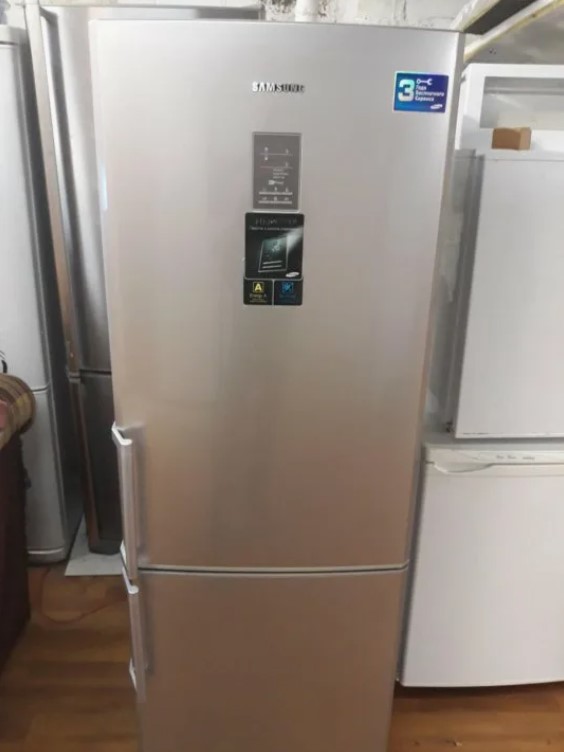
Samsung Fridge Repair: What to Do When Your Samsung Fridge Breaks Down
When your Samsung fridge breaks down, it can be a stressful situation, but there are systematic steps you can follow to diagnose and possibly fix the issue. Start by checking the power supply. Ensure that the fridge is plugged in and that the outlet is functioning. You can test the outlet by plugging in another device. If there’s no power, check the circuit breaker and reset it if necessary.
Identifying Common Issues
If the fridge is powered on but not cooling, examine the temperature settings. Make sure that the thermostat is set to the desired temperature. If the settings are correct, listen for any unusual noises such as clicking or humming, which could indicate a malfunctioning compressor or fan. Additionally, inspect the condenser coils for dust buildup, as dirty coils can impede cooling efficiency. Clean them with a vacuum or a brush, ensuring the appliance is unplugged during this process.
Seeking Professional Assistance
If basic troubleshooting does not resolve the problem, it may be time to contact a professional repair service. Prior to calling, gather essential information such as the model number, the age of the fridge, and detailed descriptions of any symptoms. This information can help the technician diagnose the issue more effectively. If your fridge is under warranty, check the terms to see if repairs are covered. Always opt for certified Samsung repair services to ensure the use of genuine parts and maintain the appliance’s warranty.
In summary, addressing a malfunctioning Samsung fridge involves a systematic approach. Begin with basic troubleshooting steps, and if those do not work, do not hesitate to reach out for professional help. Ensuring your fridge operates efficiently can prevent spoilage and extend its lifespan.
Identifying Common Symptoms of a Faulty Samsung Fridge
Recognizing the signs of a malfunctioning Samsung fridge is crucial for timely repairs and maintaining food freshness. Below are common symptoms that indicate your refrigerator may need attention.
1. Temperature Issues
- Inconsistent Cooling: If your fridge is not maintaining a consistent temperature, food may spoil rapidly. Check if the temperature settings are correctly adjusted.
- Frost Buildup: Excessive frost inside the freezer can block air vents, leading to improper cooling in both the freezer and refrigerator compartments.
- Warm Air: If the fridge is emitting warm air, it could signify a malfunctioning compressor or failing evaporator fan.
2. Unusual Noises
- Constant Running: If the fridge runs continuously without cycling off, it may indicate a problem with the thermostat or condenser coils.
- Strange Sounds: Popping, clicking, or buzzing noises may suggest issues with the compressor or internal fan components.
Properly identifying these symptoms is essential to address faults early, minimizing repair costs and preventing further damage. If you experience any of these issues, it’s advisable to consult a professional for a thorough inspection and repair.
Checking the Power Supply and Outlet Functionality
When your Samsung fridge stops working, one of the first things to investigate is the power supply. Begin by ensuring that the refrigerator is plugged in securely. A loose connection can result in intermittent powering, leading to cooling issues.
Next, check the outlet functionality. To do this, plug another device, such as a lamp or phone charger, into the same outlet. If that device fails to turn on, the outlet may be defective. In such cases, try using a different outlet that is known to work.
If the outlet is functioning properly, inspect the circuit breaker or fuse panel. A tripped breaker or blown fuse can cut off power to your refrigerator. Reset the breaker by switching it off and then back on, or replace any blown fuses as necessary.
It’s also wise to check for any signs of electrical issues, such as burnt smells or flickering lights, which may indicate underlying wiring problems. If you suspect any electrical faults, it’s crucial to contact a qualified electrician to safely resolve the issue.
Lastly, consider the power cord of your Samsung fridge. Inspect it for any visible damage, such as fraying or kinks, which could impede electrical flow. If the cord is damaged, it requires immediate replacement to ensure safe operation and to prevent fire hazards.
Understanding Error Codes on Samsung Fridges
Error codes on Samsung fridges serve as diagnostic tools, allowing users to identify and troubleshoot problems quickly. These alphanumeric codes illuminate potential issues with the appliance, helping you understand whether it requires simple adjustments or professional repair. Familiarity with these codes can save time and prevent unnecessary service calls.
Common Error Codes and Their Meanings
Samsung fridges display various error codes, each corresponding to specific malfunctions. Some common codes include:
- E1: Indicates a problem with the refrigerator’s temperature sensor. It usually means the sensor is disconnected or malfunctioning.
- E2: This code signals a fault with the freezer temperature sensor, similar to the E1 error.
- EF: Represents an error in the fridge’s fan for the evaporator, requiring inspection of the fan mechanism and wiring.
- E3: Suggests a problem with the door switch, which may prevent the light from turning on or affect the internal temperature.
How to Respond to Error Codes
Upon encountering an error code, the first step is to consult the user manual for your specific Samsung fridge model. The manual will provide detailed descriptions and solutions tailored to the displayed code. In many cases, resetting the fridge by disconnecting it from power for a few minutes can clear minor errors. However, persistent error codes may indicate the need for professional intervention. Ensure you document the code and any symptoms before contacting a technician, as this information will facilitate a quicker diagnosis and solution.
Inspecting and Cleaning the Condenser Coils
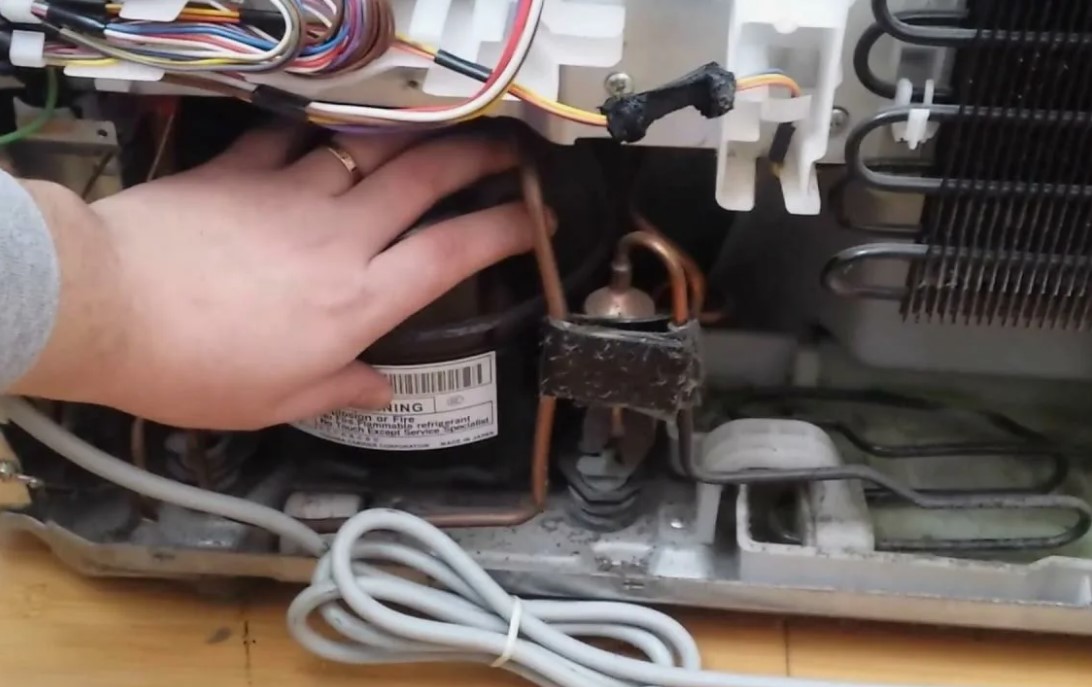
Condenser coils play a critical role in the cooling system of your Samsung fridge by releasing heat absorbed from the interior. When these coils are dirty or obstructed, it can lead to inefficiency, higher energy bills, and even compressor failure. Regular inspection and cleaning of the condenser coils are essential maintenance tasks to keep your refrigerator running smoothly.
Steps to Inspect the Condenser Coils
Begin by unplugging the refrigerator to ensure safety while inspecting the coils. Locate the condenser coils, which can typically be found at the back or beneath the unit. Check for visible dust, dirt, or debris accumulated on the coils. If the coils appear filthy, they will need cleaning to restore optimal function. Use a flashlight to ensure a thorough inspection, as some buildup may be hidden from view.
Cleaning the Condenser Coils
To clean the coils, employ a soft brush or a vacuum cleaner with a brush attachment. Carefully remove any dust and debris, ensuring that you do not damage the coils in the process. For stubborn dirt, a damp cloth can be used, but make sure the coils are entirely dry before reconnecting the appliance. After cleaning, ensure that the area around the fridge is also free of obstructions to promote proper airflow.
By regularly inspecting and cleaning the condenser coils, you can enhance the efficiency and lifespan of your Samsung fridge, preventing breakdowns and costly repairs in the future.
Assessing the Door Seals for Proper Closure
The door seals of your Samsung fridge play a crucial role in maintaining optimal temperature and energy efficiency. Over time, these seals can wear out or become damaged, leading to air leaks that compromise the performance of your refrigerator. To ensure your fridge operates efficiently, regular assessment of the door seals is necessary.
Visual Inspection
Start by conducting a visual inspection of the door seals. Look for any signs of tearing, cracking, or distortion. Check for any debris, such as food particles or frost, that might be obstructing the seals. Clean the seals with warm, soapy water to ensure proper adherence and check the integrity of the material. Pay special attention to the corners and edges, as these areas are often more prone to wear.
Test for Air Leaks
To check for air leaks, the dollar bill test is a quick and effective method. Close the fridge door on a dollar bill so that half of the bill is inside and half is outside. Try to pull the bill out. If it slides out easily, the seal is not making proper contact. Repeat this process around the entire perimeter of the door. Replace the seals if you identify any weak points. Ensuring a tight seal is essential for maintaining energy efficiency and the longevity of your fridge.
Evaluating the Temperature Settings and Controls
When your Samsung fridge experiences issues, one of the first steps to take is evaluating the temperature settings and controls. Improper temperature settings can lead to food spoilage or freezing, thus requiring immediate attention.
Check the Temperature Settings
Access the control panel of your Samsung fridge, where you can adjust the temperature settings for both the refrigerator and freezer compartments. Ideally, the refrigerator should be set between 37°F (3°C) and 40°F (4°C), while the freezer temperature should remain at 0°F (-18°C).
| Compartment | Recommended Temperature |
|---|---|
| Refrigerator | 37°F (3°C) — 40°F (4°C) |
| Freezer | 0°F (-18°C) |
Inspect the Control Panel Functionality
After confirming the settings, check if the control panel is functioning correctly. Ensure that the display is working, and the buttons are responding as expected. If the control panel is unresponsive or malfunctioning, it may require resetting or replacement. To reset, unplug the fridge for about 10 minutes and then plug it back in. This may restore normal functionality.
If the problems persist after checking the temperature settings and controls, further troubleshooting or professional assistance may be necessary to diagnose underlying issues.
Examining the Refrigerant Levels and Leaks
When your Samsung fridge is not cooling properly, one of the first areas to investigate is the refrigerant levels. Refrigerant plays a crucial role in absorbing heat within the refrigerator and allowing the cooling process to occur. A low refrigerant level can lead to poor cooling efficiency and temperature inconsistencies.
Checking Refrigerant Levels
To examine the refrigerant levels, you typically need to locate the service port on your refrigerator. This port is usually found on the back or side of the appliance. Using a pressure gauge, you can measure the pressure inside the system. Refer to the manufacturer’s specifications for the optimal pressure range for your model. If the pressure is significantly lower than the recommended level, it suggests that your refrigerator is low on refrigerant.
It’s essential to note that refrigerant should never be added arbitrarily. A qualified technician should perform this procedure, as handling refrigerants requires knowledge of the specific type and the legal regulations surrounding their use.
Identifying Leaks
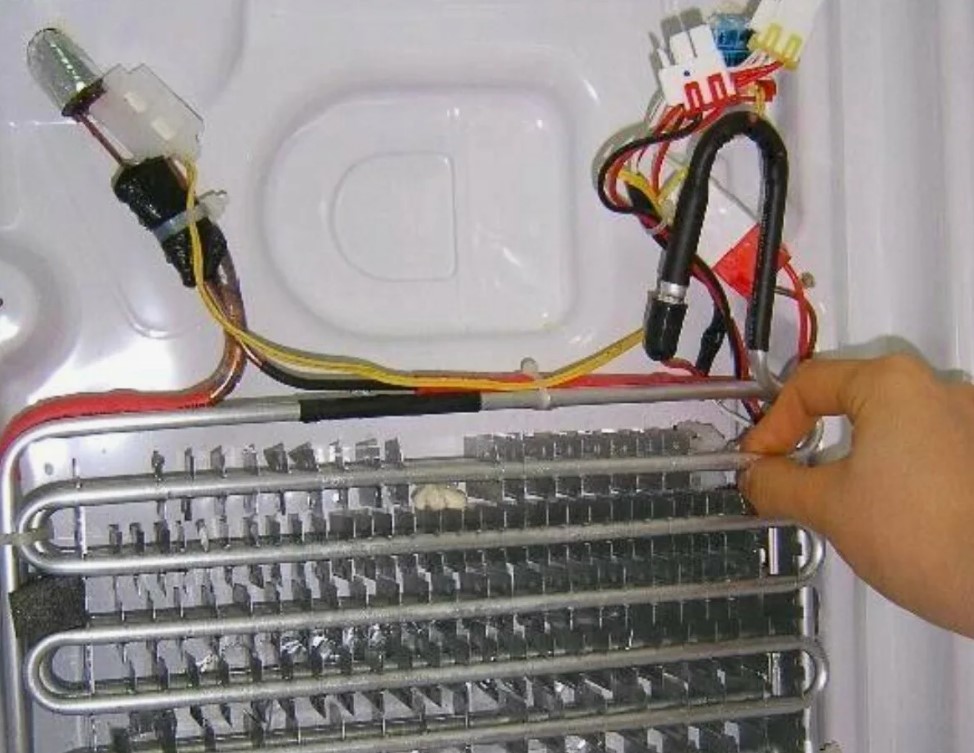
Leaks in the refrigerant system can occur due to wear and tear, corrosion, or physical damage. Signs of refrigerant leaks include a decrease in cooling efficiency, hissing or bubbling sounds, and visible ice formation on evaporator coils. Additionally, you may notice oil stains around fittings or joints, which can indicate a refrigerant leak.
To identify leaks, a technician may utilize electronic leak detectors or UV dye, which can highlight areas where refrigerant is escaping. Finding and fixing leaks promptly is vital to restoring your refrigerator’s performance and preventing further damage to the refrigeration system.
Troubleshooting Ice Maker Issues in Samsung Fridges
If you are experiencing problems with the ice maker in your Samsung fridge, follow these troubleshooting steps to identify and resolve common issues.
- Check the Power Supply:Ensure that the refrigerator is plugged in and receiving power. Check the outlet with another device to confirm it works.
- Inspect the Ice Maker Switch:Make sure the ice maker switch is turned on. It can often be mistakenly switched off, preventing ice from being produced.
- Examine the Water Supply:Ensure that the water supply line is connected and not kinked. If the water line is frozen, it may need to be thawed.
- Check the Water Filter:A clogged water filter can restrict water flow to the ice maker. Replace the filter if it has been more than six months since the last change.
- Look for Ice Blockages:Inspect the ice maker for any frozen blocks of ice that may obstruct movement. If ice is stuck, turn off the ice maker and remove the obstruction.
- Monitor the Temperature:The freezer temperature should be set between 0°F and 5°F (-18°C to -15°C). If it’s too warm, adjust the thermostat accordingly.
- Inspect the Ice Maker Assembly:Check the components, including the ice mold and ejector, for any visible damage. Replace parts if necessary.
- Reset the Ice Maker:Sometimes a simple reset can resolve issues. Press the reset button on the ice maker or unplug the fridge for a few minutes.
If these troubleshooting steps do not resolve the issue, it may be necessary to consult a professional repair service for further assistance.
Replacing Faulty Thermostats and Sensors
When your Samsung fridge is not maintaining the correct temperature, faulty thermostats or sensors may be the culprits. Replacing these components is crucial for restoring your fridge’s efficiency and performance. Here are steps to identify and replace faulty thermostats and sensors in your Samsung fridge.
Identifying the Problem
Before replacing any components, it is vital to diagnose the issue. Look for symptoms such as unusual temperature fluctuations, excessive frost buildup, or the fridge failing to cool completely. A multimeter can help test the functionality of the thermostat and sensors; a reading outside the manufacturer’s specified range indicates a replacement is necessary.
Steps for Replacement
Follow these steps to replace faulty thermostats and sensors:
- Unplug the fridge to ensure safety.
- Remove any shelves obstructing access to the thermostat or sensors.
- Locate the thermostat; it’s commonly found in the fresh food compartment. Remove the cover plate.
- Disconnect the wiring harness connected to the thermostat and unscrew it from its mounting.
- Replace it with a new thermostat, reversing the removal steps.
- For sensors, locate them near the evaporator coil. Carefully disconnect and replace them in the same manner.
Always refer to the user manual for specific instructions and part numbers appropriate for your Samsung fridge model.
| Component | Signs of Failure | Replacement Part |
|---|---|---|
| Thermostat | Temperature fluctuations | Samsung OEM Thermostat |
| Temperature Sensor | Inaccurate temperature readings | Samsung OEM Temperature Sensor |
Once the replacement is complete, plug in the fridge and monitor its performance for a few days. If issues persist, consult a professional technician for further diagnosis.
When to Seek Professional Repair Services for Your Fridge
If your Samsung fridge exhibits persistent problems despite basic troubleshooting, it may be time to consider professional repair services. Signs indicating the need for expert assistance include unusual noises, inconsistent temperatures, or water leaks. These issues can stem from malfunctioning components like the compressor, condenser, or door seals, which require specialized knowledge and tools for proper diagnosis and repair.
Additionally, if your fridge is not cooling efficiently or if it has completely stopped working, attempting DIY repairs can lead to further damage and increased costs. A professional technician can quickly identify the root cause and recommend the most effective solution, saving you time and frustration.
Another critical factor is safety. If your fridge is displaying error codes or if you notice electrical issues such as sparks or burning smells, immediate professional intervention is essential. These situations pose serious risks, and qualified technicians are trained to handle them safely.
Finally, consider the age and warranty status of your fridge. If it is still under warranty, seeking authorized service can help you avoid out-of-pocket expenses. Even if the warranty has expired, professionals can provide a more reliable fix compared to DIY methods, ensuring your appliance operates efficiently for years to come.
Maintaining Your Samsung Fridge for Longevity
Proper maintenance is essential for ensuring the longevity and efficiency of your Samsung fridge. By following a few simple guidelines, you can prevent breakdowns and enhance the appliance’s performance. Here are key maintenance tips to keep your fridge running smoothly:
- Regular Cleaning:Dust and dirt can accumulate on the condenser coils, affecting cooling efficiency. Clean the coils at least twice a year using a vacuum or a brush.
- Temperature Settings:Maintain optimal temperature settings, typically between 37°F (3°C) for the fridge and 0°F (-18°C) for the freezer. Regularly check the settings to avoid spoilage or excessive energy consumption.
- Door Seals:Inspect door seals for cracks or tears. A damaged seal can cause cold air to escape, leading to increased energy usage. Clean seals regularly with warm, soapy water to ensure a proper seal.
- Defrost Regularly:If your Samsung fridge requires manual defrosting, do so when ice builds up more than 1/4 inch thick. Avoid using sharp objects to scrape ice off, as this could damage the interior.
- Organize Contents:Keep your fridge organized and avoid overloading it. Proper airflow is crucial for maintaining consistent temperatures throughout the appliance.
- Check Water Filter:If your model includes a water dispenser, replace the water filter as recommended–typically every 6 months–to ensure clean water and proper ice production.
- Professional Servicing:Schedule regular professional inspections and servicing to address any minor issues before they escalate. This can help in prolonging the life of your appliance.
By following these maintenance tips, you can ensure that your Samsung fridge operates efficiently and lasts for years to come. Doing so not only saves you money but also prevents unexpected repairs down the line.
Q&A — Samsung fridge repair:
What are some common issues that might cause a Samsung fridge to break down?
Some typical problems that can lead to a breakdown of a Samsung fridge include issues with the compressor, malfunctioning thermostats, refrigerant leaks, or blockages in the defrost drain. Over time, wear and tear can also impact the condenser coils and door seals, resulting in improper cooling. If your refrigerator is making unusual noises, not cooling properly, or displaying error codes, it may indicate a specific issue that needs attention.
How can I troubleshoot my Samsung fridge before calling for repair?
Before seeking professional help, you can perform a few simple troubleshooting steps. First, check if the fridge is plugged in properly and inspect the power outlet. Next, look for any obstructions around the vents that may restrict airflow. Clean the condenser coils if they are dusty, as this can affect cooling efficiency. Additionally, ensure that the temperature settings are correct and not accidentally altered. If the issue persists after these checks, professional assistance may be necessary.
What steps should I take if my Samsung fridge stops cooling entirely?
If your Samsung fridge has stopped cooling, first confirm that it is receiving power. Check the power cord and wall outlet for any issues. Then, assess the temperature setting to ensure it hasn’t been inadvertently changed. Inspect the back of the fridge for dust on the condenser coils, as this can impede cooling. If these checks do not resolve the problem, it may indicate a fault in components like the compressor or evaporator fan, and it’s advisable to contact a repair service.
How much does it typically cost to repair a Samsung fridge?
The cost of repairing a Samsung fridge can vary widely based on the specific issue and parts needed. On average, minor repairs might range from $100 to $300, while significant repairs involving critical components like the compressor can exceed $500 or more. It’s best to obtain quotes from a few local repair services to get an accurate estimate based on your fridge’s condition and the required repairs.
Are there any warranties or service plans available for Samsung fridges?
Yes, Samsung typically offers a warranty that covers parts and labor for a certain period, usually one year from the date of purchase. Extended service plans may also be available for those looking for additional assurance beyond the manufacturer’s warranty. It’s a good idea to check the warranty policy that came with your fridge and consider purchasing an extended warranty if you want added coverage against potential future repairs.
What are the common signs that indicate my Samsung fridge is malfunctioning?
Several indicators can suggest that your Samsung fridge might be experiencing issues. First, if you notice unusual noises, such as buzzing or clicking, it may be a sign of a problem with the compressor or fan. Second, if food is spoiling faster than normal or if you see condensation or pooling water inside or around the fridge, it can indicate that the cooling system is not functioning properly. Additionally, if the temperature settings are not maintaining the desired levels or if any lights on the control panel are flashing, these are also significant warnings of a malfunction. If you observe any of these symptoms, it’s advisable to investigate further or consult a repair service.
What steps should I take if my Samsung fridge stops working completely?
If your Samsung fridge has stopped functioning altogether, start with some basic troubleshooting steps. First, check if the appliance is plugged into an outlet and that the outlet is working; you can test it by plugging in another device. Next, examine the circuit breaker to ensure that it hasn’t tripped. If both are functioning correctly, inspect the fridge’s temperature settings and control panel for any abnormalities. If the unit is still unresponsive, you may want to listen for any sounds coming from the compressor and check for any leaks or blockages around the vents. If these steps do not resolve the issue, it’s often best to consult a qualified technician who can diagnose and repair the problem accurately.
APPLIANCE REPAIR in California — fast, reliable, and affordable service that brings your home appliances back to life. Get expert help today and enjoy worry-free comfort!